Using a green screen
A video we looked at:

We decided to recreate the scene from Harry Potter where Harry gets an invisibility cloak because in the actual movie production they also use a green screen.
Inspiration:
Our recreation:
What went well:
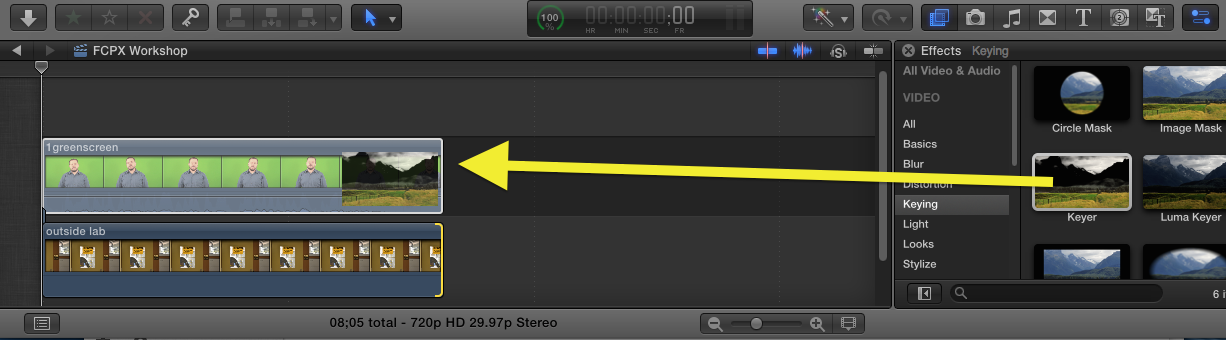
How to add a green screen on final cut:
1. Take the video you filmed and put it onto final cut
2. Drag and drop it onto the timeline
3. Take the photo that you want to replace the green screen and place it below the filmed video
4. Go to effect and drag 'keyer' onto the green screen video
- Our way of screenshoting the original scene and putting our scene on top worked well
- we got all the angles and shots of the original video
What could have gone better:
- for some reason I was a little transparent so you could see Ron behind me
- The creases in the green screen created some darker spots which were a little visible in the scene


Do you see how a topic/post like this links to 1 of the 4 Eval Qs
ReplyDelete